CSE 111 - Fall 2002
Lab #3
Background
In
last lab, we explored the basics of one of the programs in the Microsoft Office
Suite, the Word Processor, Word. Now, we will explore the basics of another
program, Excel, the spreadsheet program.
The
TA will begin lab by introducing some of the ideas that you will need to
complete the lab. Ask the TA if you have
any questions about the contents of the lab, or if you are unsure how to
accomplish a specific task.
If
you are unfamiliar with Excel and the presentation on Excel given in class did
not clear up your confusions, it would be best if you purchased the optional
text on Excel at this time. It is the
basics of Excel, all of which were covered in class lecture. The book has lab-type tasks to help you get
comfortable using Excel in a more basic way.
In future labs, you will be using some of the more advanced features of
Excel, so it is important to get a solid grasp of the basics now.
Creating
a Folder for Lab 3
If
you do not remember how to create a folder, refer back to Lab 1. Create a folder in CSE111 entitled Lab3 that
you will save all your Lab 3 work in.
Creating
an Excel Document
You
will create an excel document that represents a yearly household income. You will input values as well as formulas, and
will submit the workbook with that worksheet as outlined below.
If
you do not remember how to do any of the following, refer to your lecture
notes, the optional text on Excel, Excel’s own Help Menu, or seek out
assistance from your instructor or teaching assistant during office hours.
Your
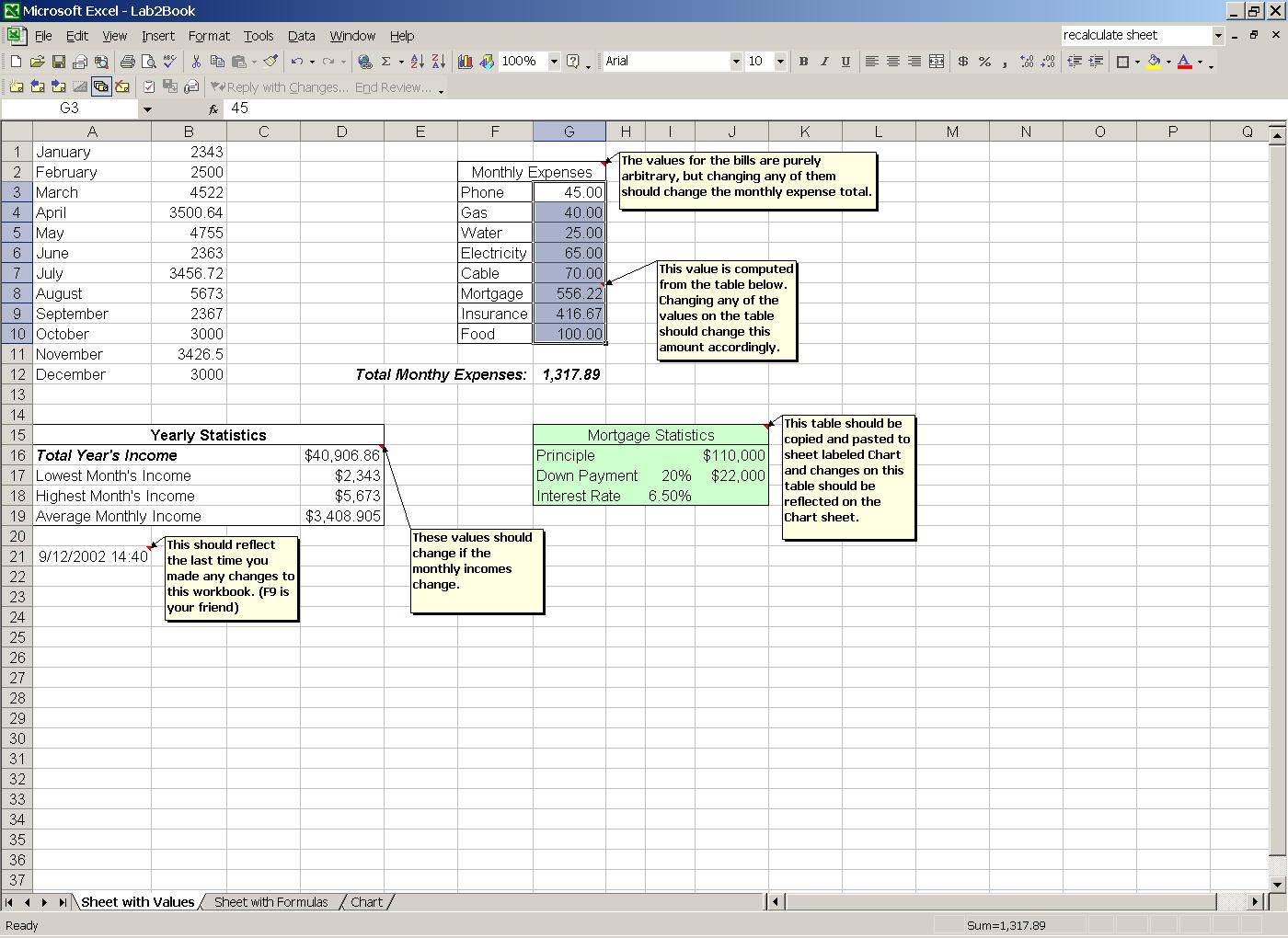
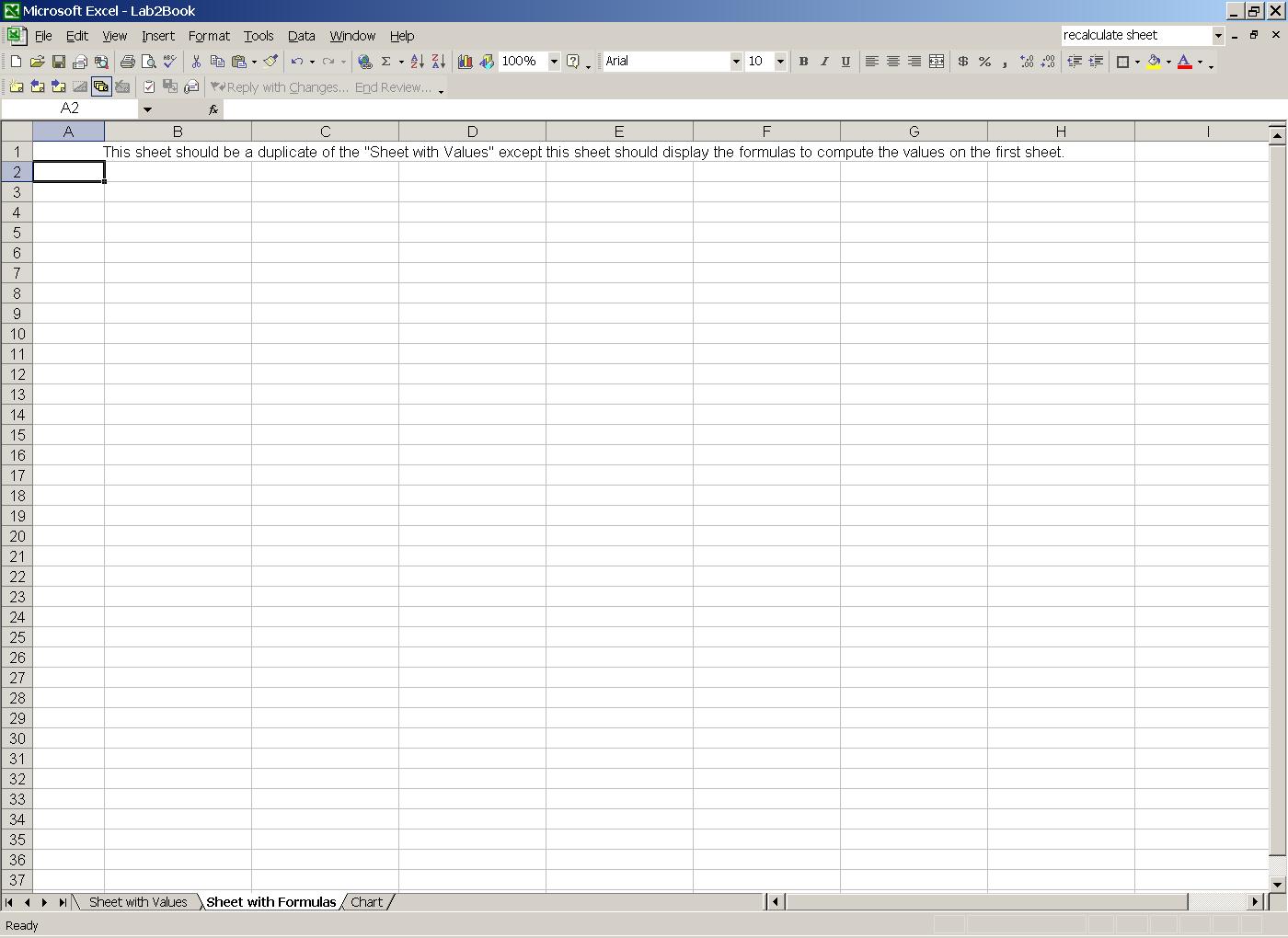
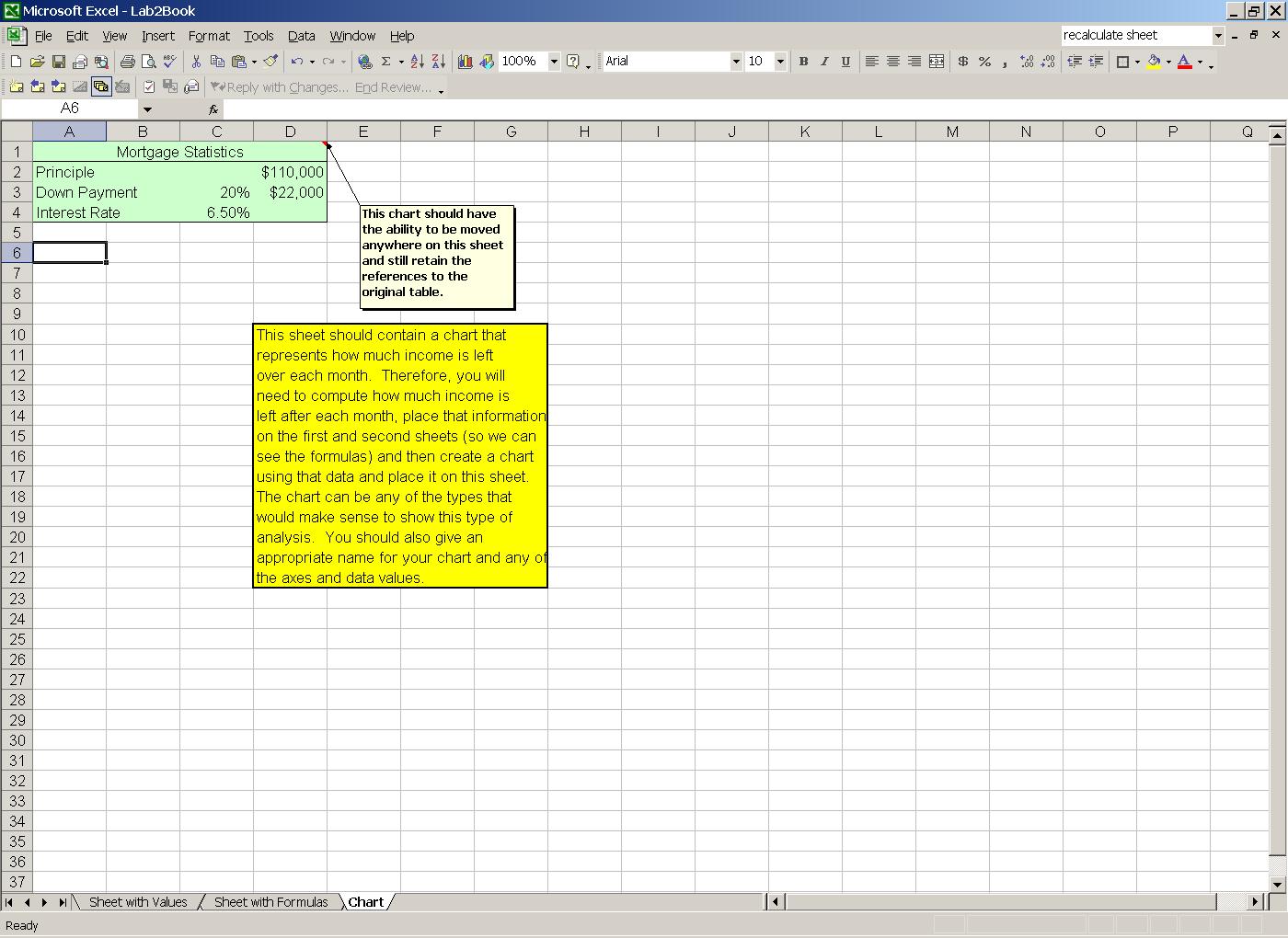
workbook will have three pages. The
three screen shots below describe what the sheets should contain. You should create the sheets to look exactly
like the ones shown in the screen shots, down to the names of the worksheets
themselves. In the comments on the
screen shots, you are directed as to additional tasks you will have to perform
to get full credit, such as inserting a chart, and copying values from one page
to another to show formulas. You do not
need to comment your workbook. Name your
Excel file Lab3.xls.
The
worksheets should also contain a header with the title Household Income 2002 in Arial Font, Bold and Centered.
What
should I hand in and when is this due?
You
should save your document on a 3.5” floppy disk and hand in the disk at the
beginning of lecture on Monday, September 23, 2002. If you can fit this file on the disk for Labs
1 & 2, that would be preferred.
However, if you need more space, you may submit more than one disk. Make sure each disk has your name on it.